With a few modifications the vista sidebar has been hacked enough to get it to work with windows XP. Here are the directions.
First few steps ripped directly from davak's directions from Installing The Sidebar into Vista.
- 1. Download the Vista Sidebar files
2. Unrar the files
3. Copy the Windows Sidebar folder into your Program Files folder. If C is your default Vista drive, the folder should end up here: C:\Program Files\Windows Sidebar
4. Download the hacked patch files from RAFAEL.
5. Uncompress them into the Windows Sidebar folder
6. Click on the patch.exe in the Windows Sidebar folder
7. Click OK to the sidebar.exe - File successfully patched! window
8. You now need to put the xmlrw.dll into the Windows Sidebar folder. If you have IE7 installed, you can get it from there. If not, you can download it from this forum post. Place xmlrw.dll into your sidebar folder.
9. Run \Program Files\Windows Sidebar\sidebar.exe
10. When the sidebar opens, click the plus (+) to load the gadgets.
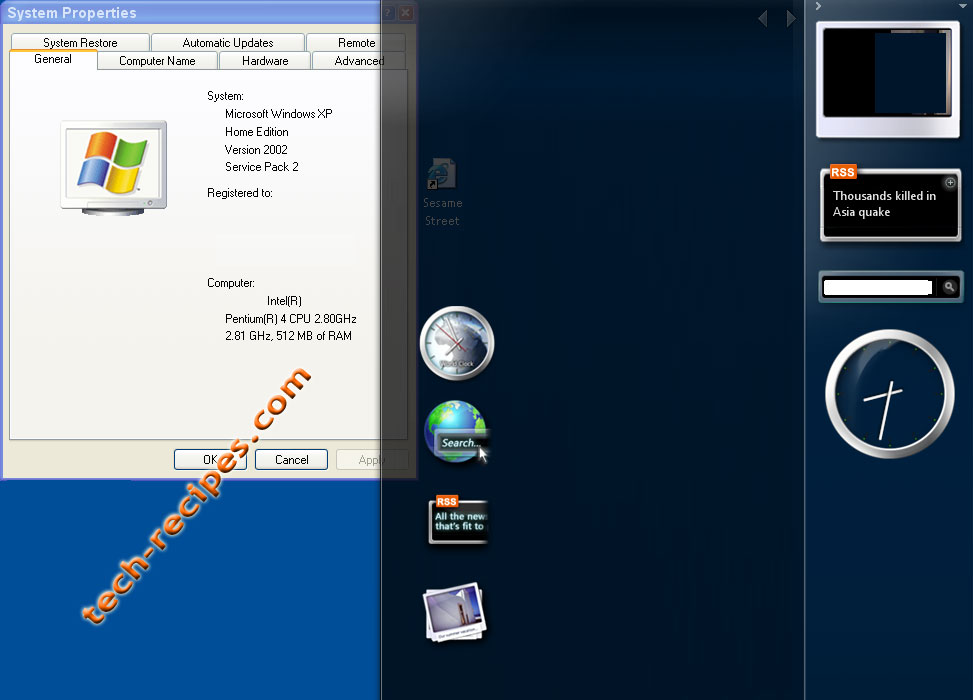
Props to Rafael for the hack and aeroxp.net for the rest of the files.

No comments:
Post a Comment